
Bring supply chain decisions into your classroom
Choose from eight ready-made courses for a 15-day cellphone production challenge—designed for about a 45-minute class. Review scores, charts and rules-based feedback in Teacher’s View.
Students join with a PIN and their name—no installation or account required.
Fits naturally into courses like
- Supply Chain Management
- Operations Management
- Logistics
- Procurement & Sourcing
- Production Planning
- Inventory Management
Easy to start. Flexible enough for your course.
ChainSim gives instructors a repeatable classroom activity while keeping the operational decisions in students’ hands.
Choose the setup
Use one of eight ready-made courses or create a custom setup using predefined constraints and simulation speed.
Invite your students
Share the PIN. Students join in their browser and enter their name—no account needed.
Run the challenge
Depending on the course, students manage procurement, inventory, production, transport and customer deliveries.
Debrief the results
Review the automatic performance score, detailed charts and rules-based feedback in Teacher’s View.
Make operational trade-offs discussable
Students see how key decisions affect availability, cost, delivery performance and profit—giving your class evidence to analyse together.
Plan the supply chain
Connect suppliers, component inventory, production capacity and customer deliveries as one operating system.
Balance cost and service
Work through trade-offs involving stock availability, lead times, transport choices, delivery accuracy and profit.
Explain the result
Use performance evidence to discuss what happened, why it happened and what students would change next time.
Understand inventory decisions through simulation
Place an order, follow your inventory and see what happens while a shipment is on its way.
Reorder point
At what stock level should you place the next order?
Lead time
How much stock will you use before the shipment arrives?
Safety stock
Does your buffer cover demand during the wait?
For courses with component lead times. Shown here: Course 08.
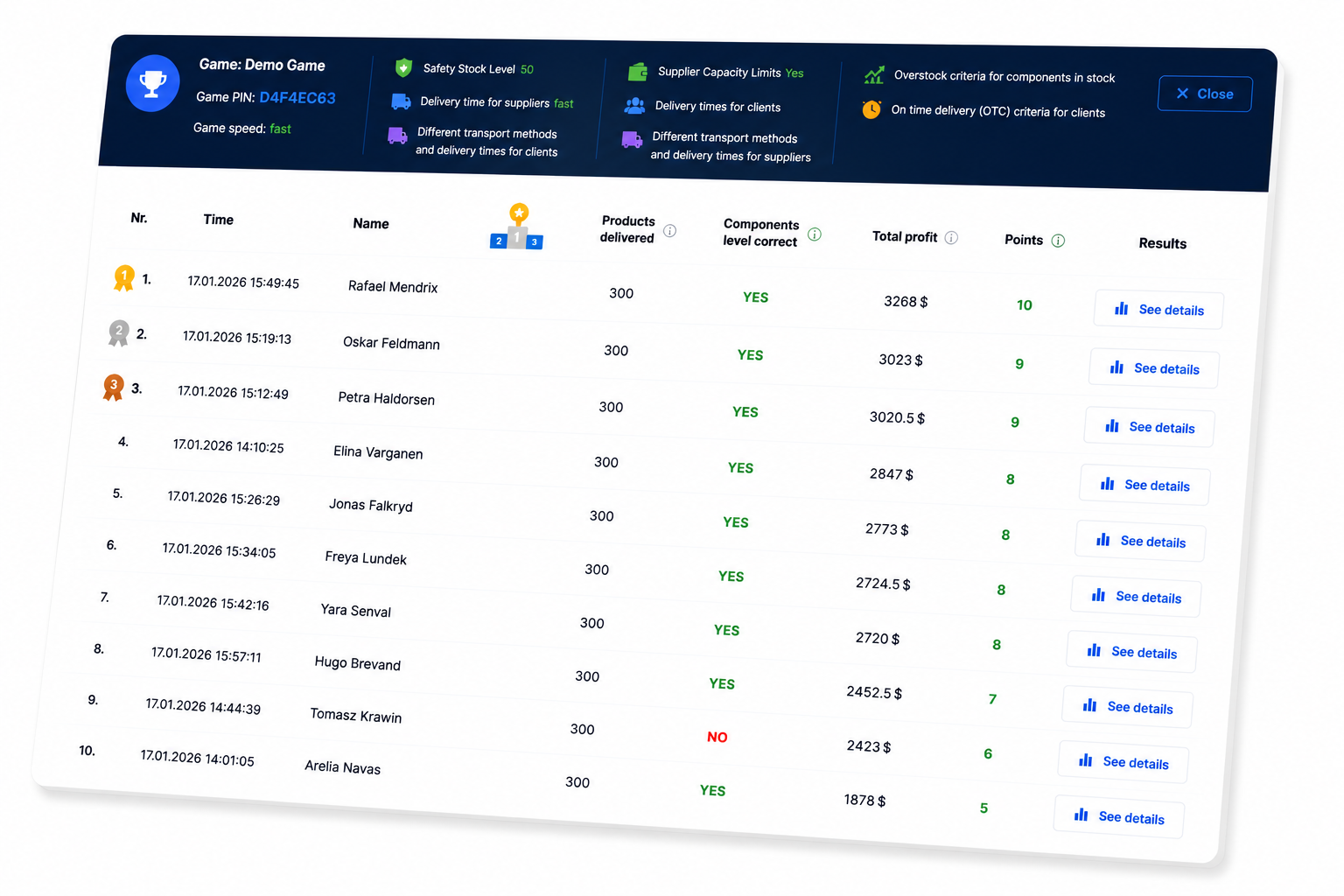
Turn every run into a focused debrief
Teacher’s View brings the evidence for your class discussion together in one place. Use it to compare approaches and support—not replace—your assessment.
- Automatic performance score
- Financial performance charts
- Inventory histories
- On-time delivery measures
- Rules-based feedback
- Individual or shared-team submissions
One simulation, 101 students
Lund University used ChainSim with 101 students working in groups of three across five levels. The first level was facilitated in class; later levels were completed independently.
Clear pricing for university teaching
Explore the ready-made courses, see Teacher’s View and discuss how ChainSim could fit your supply chain or operations course.
Could ChainSim fit your course?
Explore the student challenge, ready-made courses and Teacher’s View in a short instructor demo.