
How ChainSim works in your course
Run a practical supply-chain decision exercise in one class. Choose one of eight ready-made 45-minute courses—or configure your own simulation—share a PIN and review submitted results in Teacher’s View.
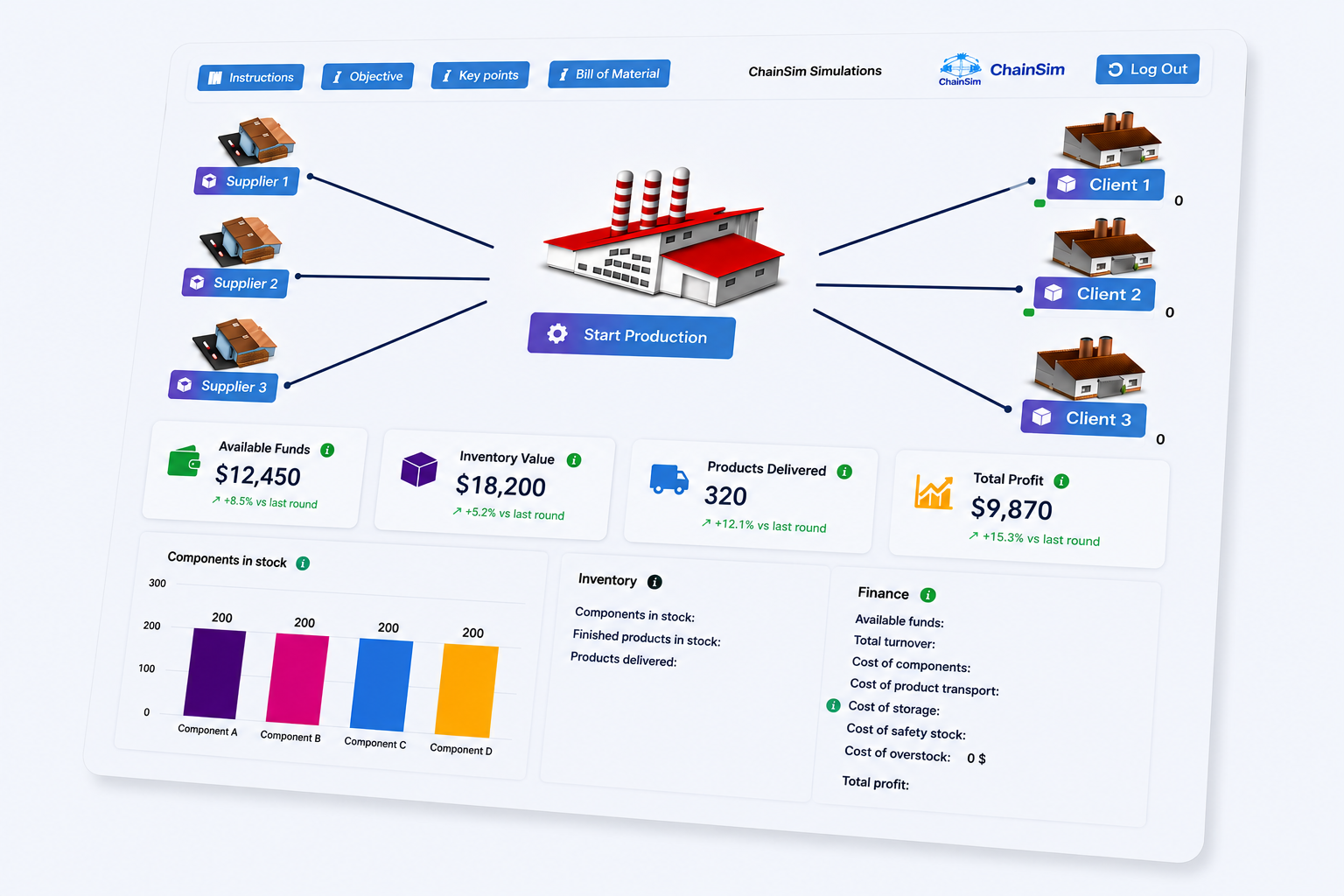
From course setup to classroom debrief
ChainSim gives instructors a repeatable four-step activity while keeping the decisions in students’ hands.
Choose the learning challenge
Start with a ready-made course or adjust parameters to match your syllabus and students’ experience.
Share a game PIN
Students open ChainSim in their browser—without installation—and join with the PIN you provide.
Students run the supply chain
They make procurement, inventory, production, transport and delivery decisions individually or in teams.
Review and debrief
Teacher’s View collects submitted results with automatic scoring, charts and actionable feedback.
Built for supply chain and operations courses
Concrete decisions, measurable consequences and evidence instructors can use in discussion and assessment.
Ready-made or configurable
Use eight prepared courses or adjust the simulation parameters to focus on the concepts relevant to your syllabus.
Progressive challenge
Course settings introduce additional constraints and trade-offs as students build confidence.
End-to-end decisions
Students manage suppliers, components, production, inventory, transport and customer deliveries as one system.
Visible consequences
Across the course sequence, students see how choices affect availability, costs, on-time delivery and profit.
Teacher’s View
Create simulations, share access and compare individual or team results from one instructor dashboard.
Evidence for debriefing
Use automatic scores, detailed charts and actionable feedback to discuss strategies and support your assessment.
Every run becomes actionable feedback
ChainSim automatically shows students what worked, what it cost and what to improve next—turning simulation results into a practical learning moment.
- Students receive immediate, decision-specific guidance for reflection.
- Instructors gain concrete evidence for classroom debriefing and assessment.
A submitted run at a glance
Practical for students. Manageable for teachers.
The simulation experience and the instructor workflow are designed to support the same learning conversation.
Turn concepts into decisions
- Join quickly through a browser with a game PIN
- Experience the operational and financial consequences of each choice
- Compare strategies and improve decisions across repeated courses
Move from gameplay to evidence
- Launch a ready-made course or configure your own simulation
- Review submitted individual or team results in Teacher’s View
- Use scores, charts and feedback to support—not replace—your assessment
Classroom experience at Lund University
At Lund University, 101 students used ChainSim in groups of three and progressed through five simulation levels.
Ready to bring supply-chain decisions into your course?
In a short instructor demo, we’ll show you how to choose a course, share a PIN and review student results.